Creating your account

Getting Started · Students & Scholars · Updated

How to sign up

  • Open the sign-up page Go to app.sovrano.ai/signup. You can either fill out the form or continue with Google.
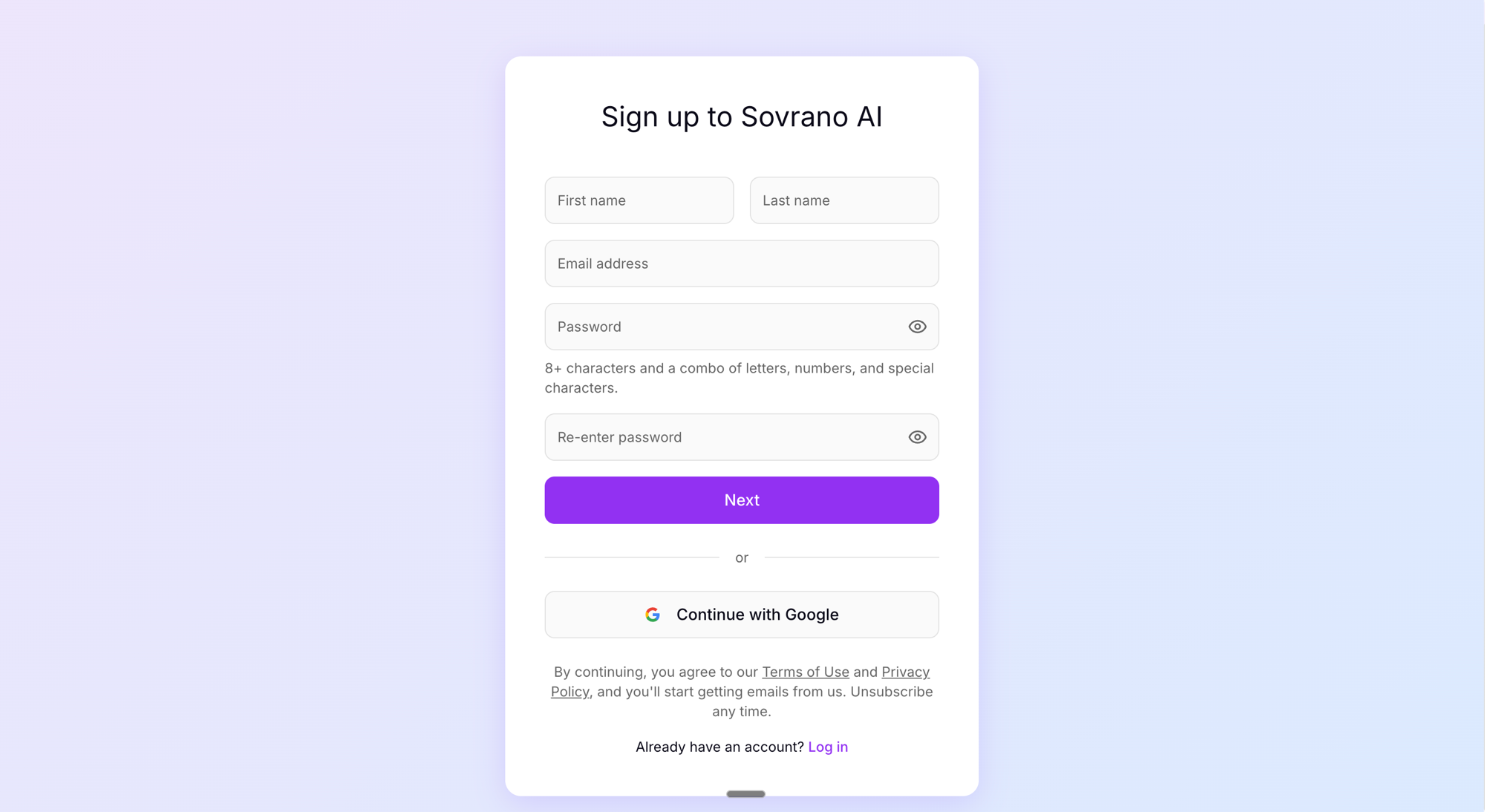
    Sovrano AI sign-up page
  • Fill in your details Enter your first name, last name, email address, and choose a password. Your password must be at least 8 characters and include a combination of letters, numbers, and special characters. Re-enter your password to confirm, then click "Next."
  • Or continue with Google If you prefer, click "Continue with Google" to sign up using your Google account. This skips the password step entirely.
  • Verify your email Check your inbox for a verification email and click the link to complete registration. If it doesn't appear within a few minutes, check your spam or junk folder.

Important notes

  • You may only have one account. Duplicate accounts will be flagged and deactivated.
  • Phone verification is required before you can accept any contracts or begin evaluation work. Use a real mobile number — VoIP numbers, Google Voice, and landlines are not supported.
  • If you need to change your email address, you can do so from your account settings. All data (referrals, contracts, communications) transfers automatically. The confirmation link expires after one hour.

Frequently asked questions

Can I use a VoIP number (Google Voice, TextNow, etc.) for phone verification?

No. VoIP numbers, Google Voice, and landlines are not supported. You must use a real mobile number that can receive SMS messages.

Can I create more than one account?

No. Each person may only have one Sovrano AI account. Duplicate accounts are automatically flagged and deactivated, and this may affect your eligibility for future work.

Is Sovrano AI available in my country?

Sovrano AI is available in most countries. However, some regions may be restricted due to payment processing limitations through Deel. If you cannot complete signup, contact hello@sovrano.ai with your country of residence.

How do I change my email address?

Go to Account Settings and update your email. A confirmation link will be sent to your new address. The link expires after one hour. All existing data (referrals, contracts, communications) transfers automatically.

I signed up with Google but now want to use a different email. What do I do?

Go to Account Settings and update your email address. You can switch between Google sign-in and email-based passwordless login at any time.

I never received the verification email. What should I do?

Check your spam and junk folders first. If you still don't see it after a few minutes, try signing up again with the same email. If the problem persists, contact hello@sovrano.ai.

Can I sign up with a university email address?

Yes. You can use any valid email address, including a university email. Just make sure you will have continued access to that inbox after graduation.

I accidentally created a duplicate account. What happens now?

Contact hello@sovrano.ai immediately and let the team know which account you want to keep. The duplicate will be deactivated. Do not attempt to use both accounts, as this may result in both being flagged.

Related articles

Can't find what you're looking for?

Our team is here to help.

Email Support